Content Configuration
The Content Configuration defines how content is structured and personalized for users.
Perform the following steps to set up the Content configuration:
-
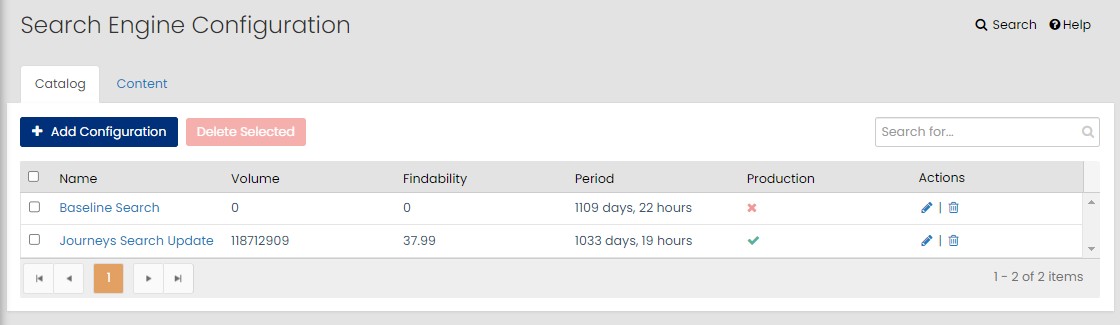
On the Personalization Platform dashboard, go to Search | Browse > Search Configuration.
The Search Engine Configuration page is displayed.
-
Click the Content tab.
-
Click + Add Configuration.
-
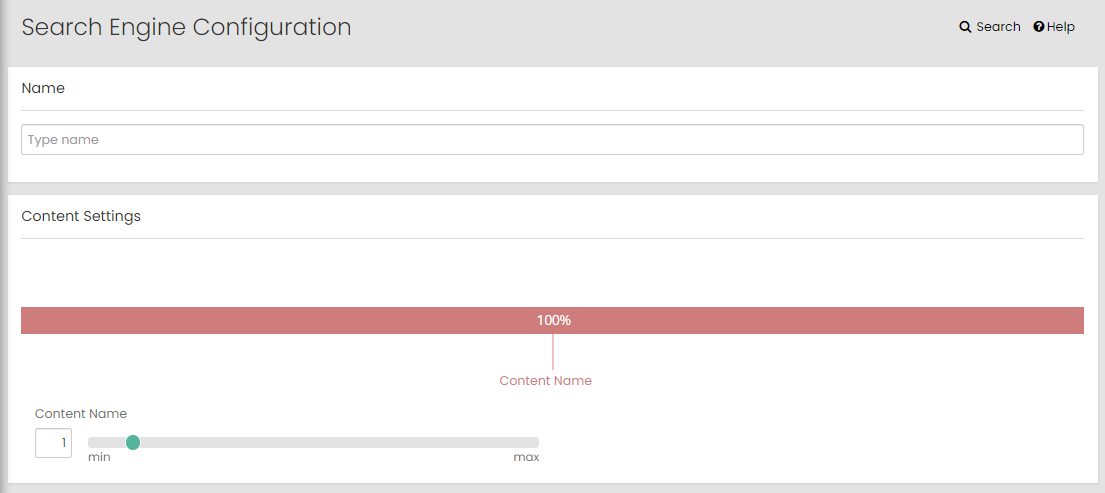
Specify the name of the content.
-
In the Content Settings area, set all the Content Name to the required value ranges between a minimum value 1 to maximum value 10.
-
In the Personalization Settings area, set all the attributes to the required value ranges between a minimum value 1 to maximum value 10.
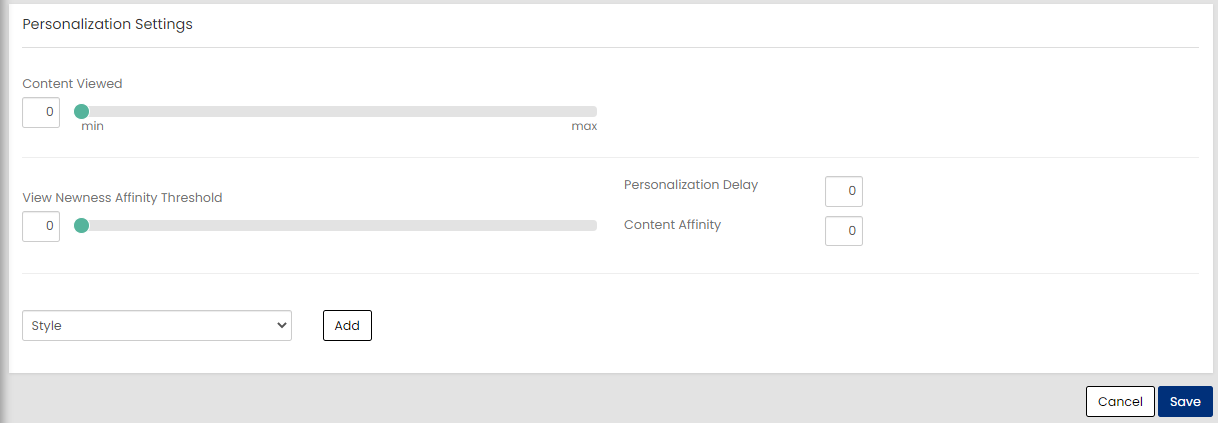
The following attributes are displayed under Personalization Settings:
- Content Viewed: Content viewed includes any item that has been clicked from Algonomy instrumented placements, including Find search results. Assigning weight to this slider boosts the ranking of previously clicked content in the result set—provided it falls within the Content Affinity limit (explained below).
- View Newness Affinity Threshold: Content newness is determined by its start_date and the number of days considered “new,” as configured in Browse settings. The same Product Newness setting applies to content, which is set to 14 days. The newness affinity threshold calculates how much of a user’s clicked content falls within this newness window. For example,
- If the threshold is set to 2, at least 20% of the viewed content must have a start date within the last 14 days.
- If the threshold is set to 5, at least 50% of the viewed content must be within the last 14 days.
- Personalization Delay: Defines the time (in seconds) before personalization applies. For example, with a delay of 300 seconds (five minutes) a user can click on different content results before personalization updates recommendations.
- Content Affinity: Gives you the universe of reference content items to work with.
- Of the 50 items that are returned by UPS, this parameter gives the maximum referenceContent item to consider when calculating boosts.
- UPS considers any product, referenceContent, engageContent that has been clicked or purchased from anywhere in the Algonomy instrumented placements, including Find search results.
- The data returned by UPS for an item includes the interaction timestamp, itemExternalID, and itemType. The itemType is used to filter for product and content. Interaction timestamp is used to filter for the personalization delay.
-
(Optional) Select the product attributes from the dropdown list and click Add.
-
Click Save.
The created configuration is displayed on the Search Engine Configuration page.
You can perform the following actions to manage the Search Configuration for content:
-
Click
 on the corresponding row to edit the configuration.
 -
Click
 on the corresponding row to delete the configuration.
-